Who sends the messages: Zolteva Solutions, a fictitious name registered in Florida (no. G26000135944) of TRADINGUPANDSONS LLC, 18120 Northwest 42nd Avenue, Miami Gardens, FL 33055, United States · operations@zolteva.com · zolteva.com
Programs on this page: (1) Zolteva appointment alerts: texts to the owner of a business that signed up for Zolteva (consent on our sign-up web form); (2) Zolteva appointment confirmations: one confirmation text to a person who called that business and asked for it during the call (verbal consent); (3) Zolteva urgent job alerts: texts and calls to the owner and staff who agreed to them, when a caller asks for urgent service (opt-in on our web form). All three are sent by Zolteva Solutions with fixed templates written by Zolteva. No marketing, no promotions, no lead generation.
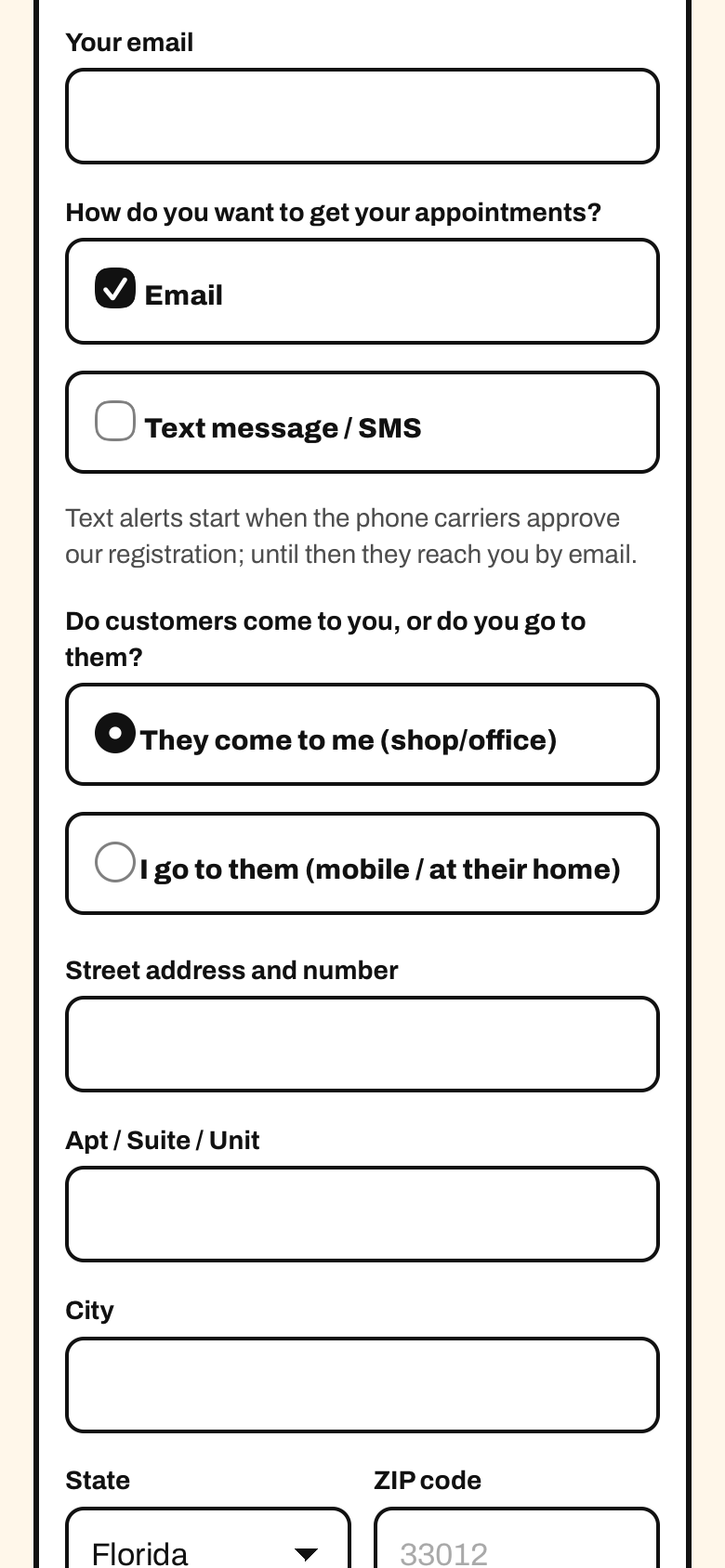
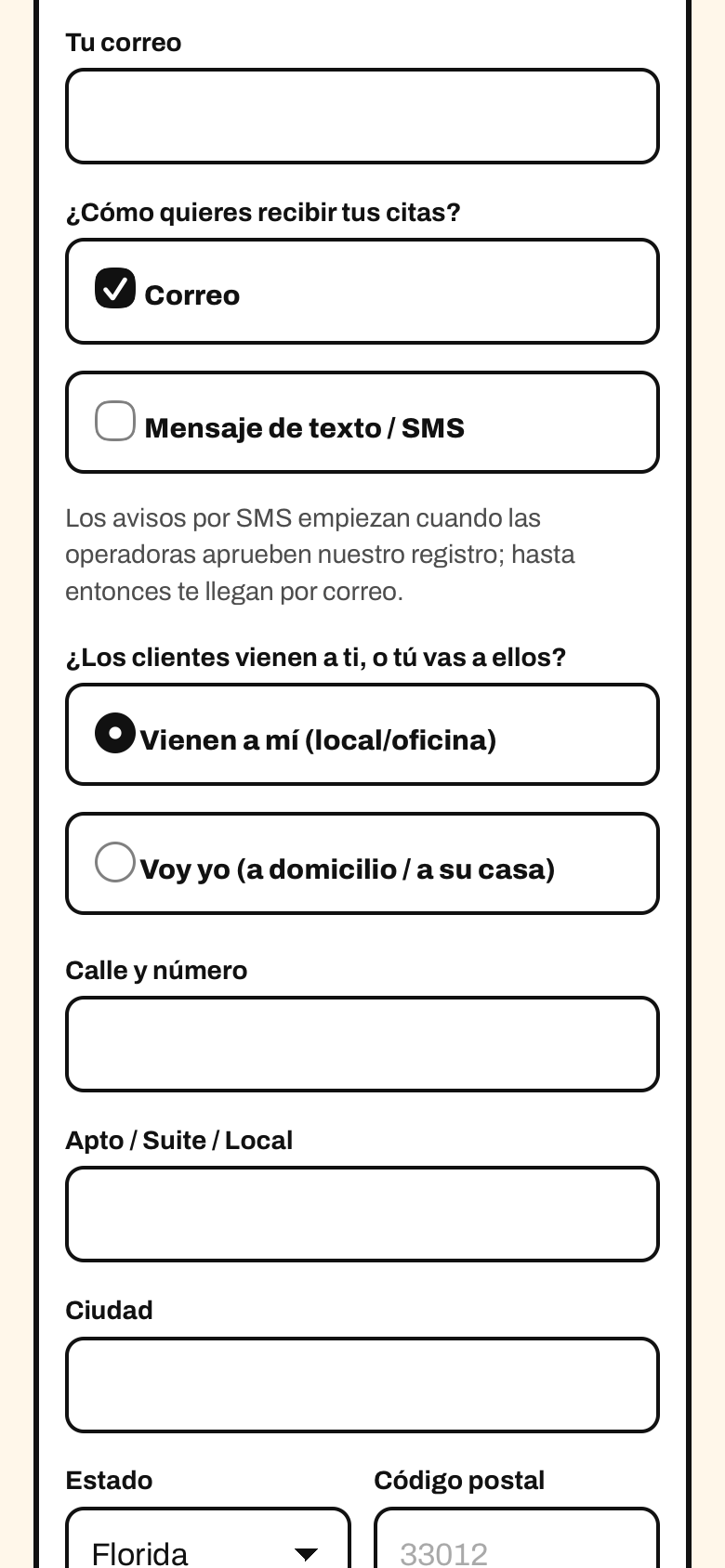
Where consent is collected: the sign-up form at https://alta.zolteva.com/, step “Your business”. The owner chooses how to receive appointment alerts (email, text message or both). If they choose text messages, they enter their own cell number and must check a separate consent checkbox, unchecked by default. Consent is not a condition of purchase: the owner can choose email only.
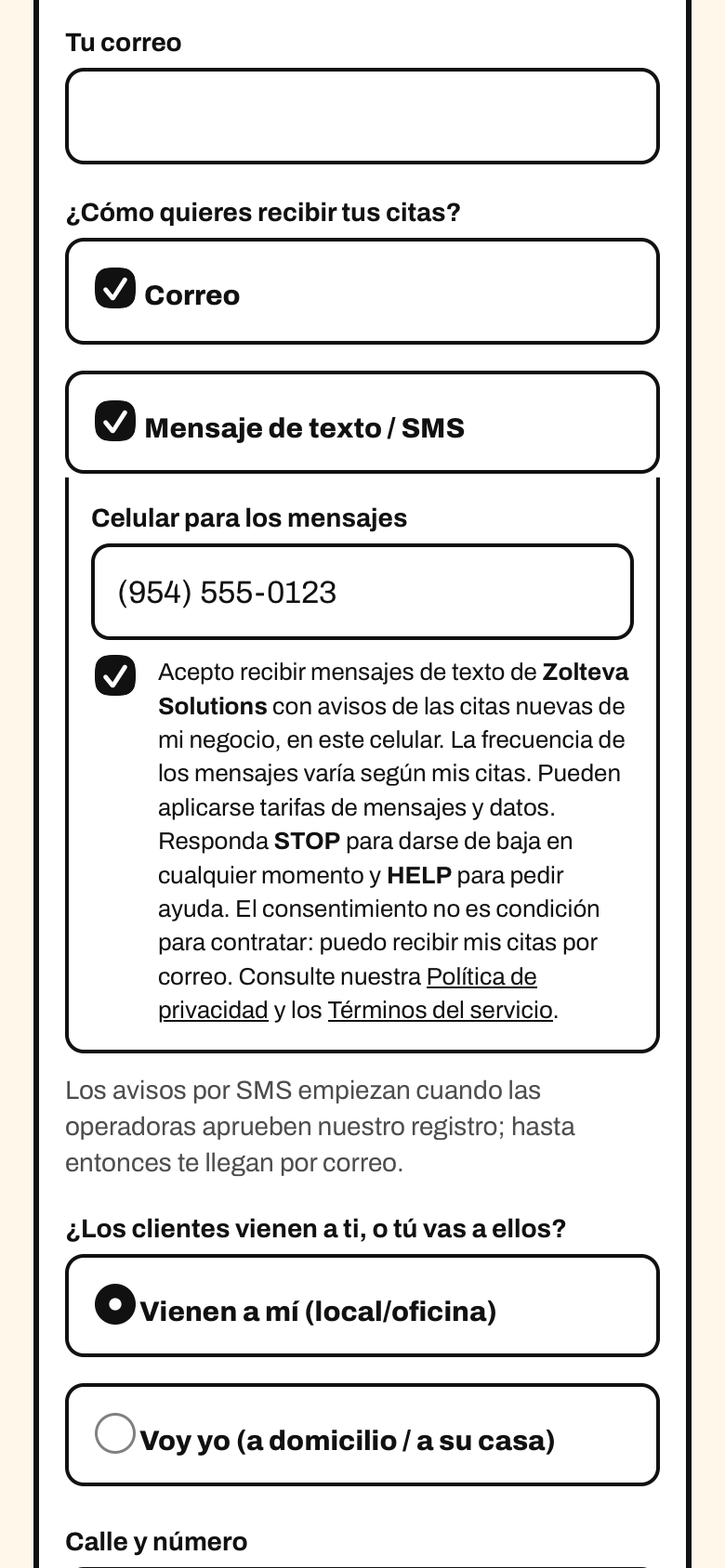
Which checkbox is the SMS consent: the SMS consent checkbox is the one next to the text that begins “I agree to receive text messages from Zolteva Solutions…”. It is never pre-checked: the owner must check it themselves. The two boxes above it, “Email” and “Text message / SMS”, are not consent: they are only the owner’s choice of alert channel (how to be told about a new appointment). “Email” starts selected because email alerts are the default; “Text message / SMS” starts unselected, and the consent checkbox is not even shown until the owner selects it.
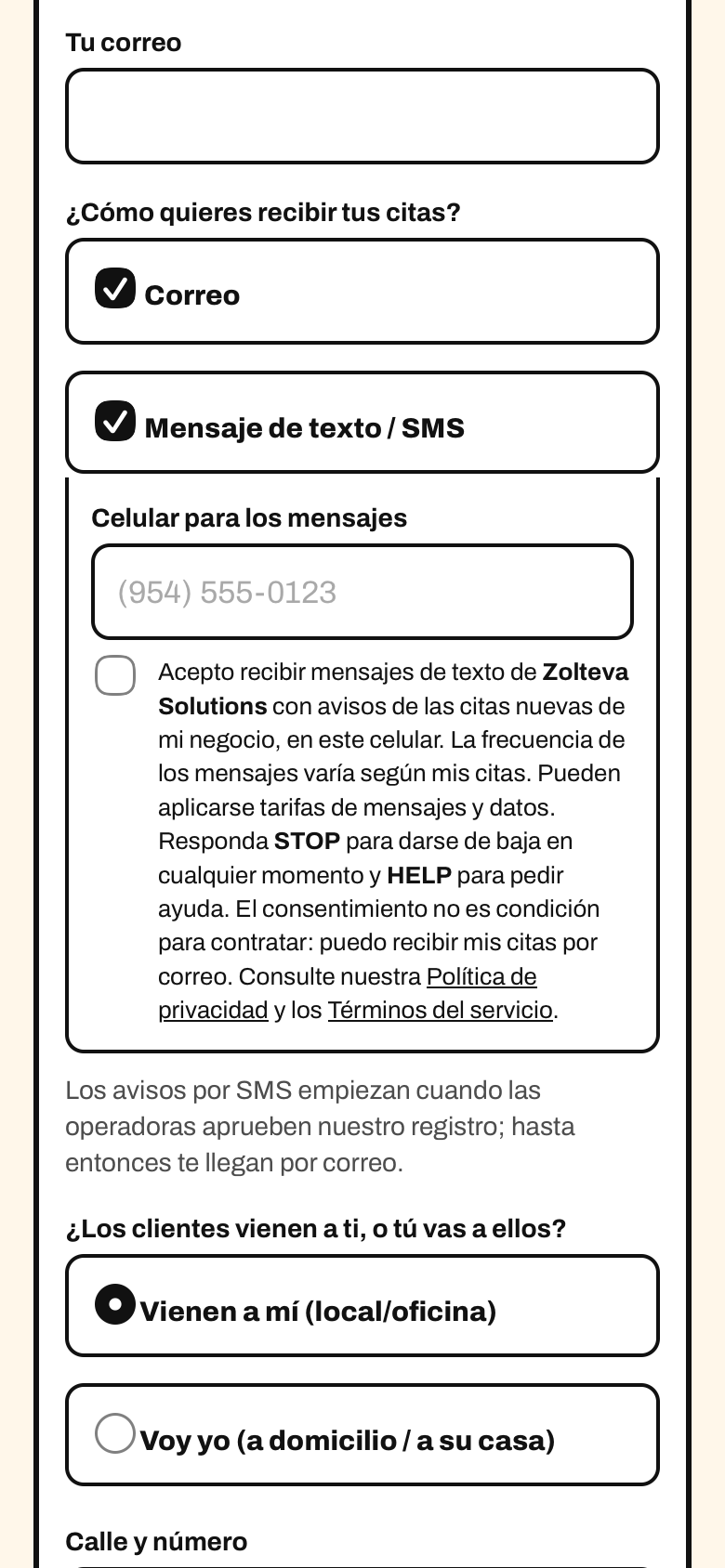
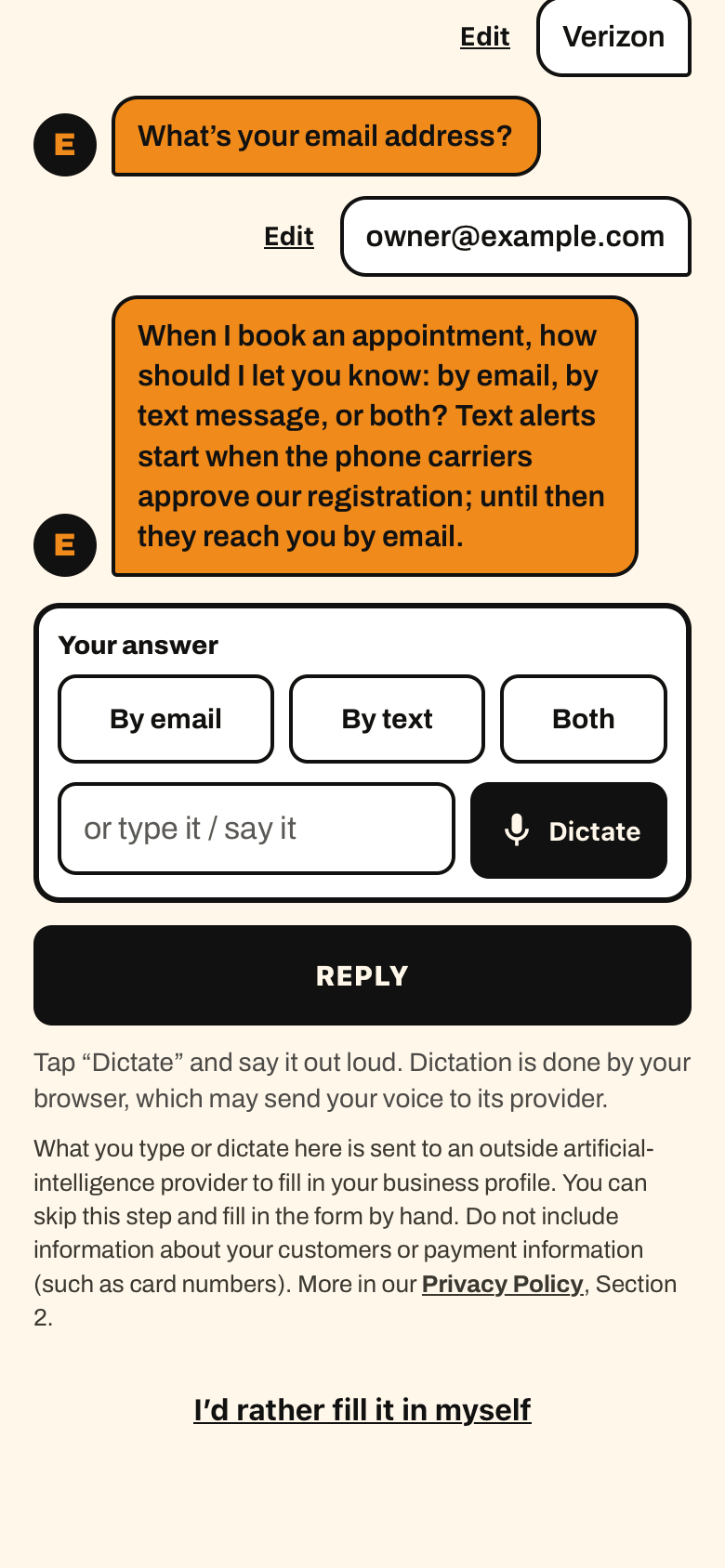
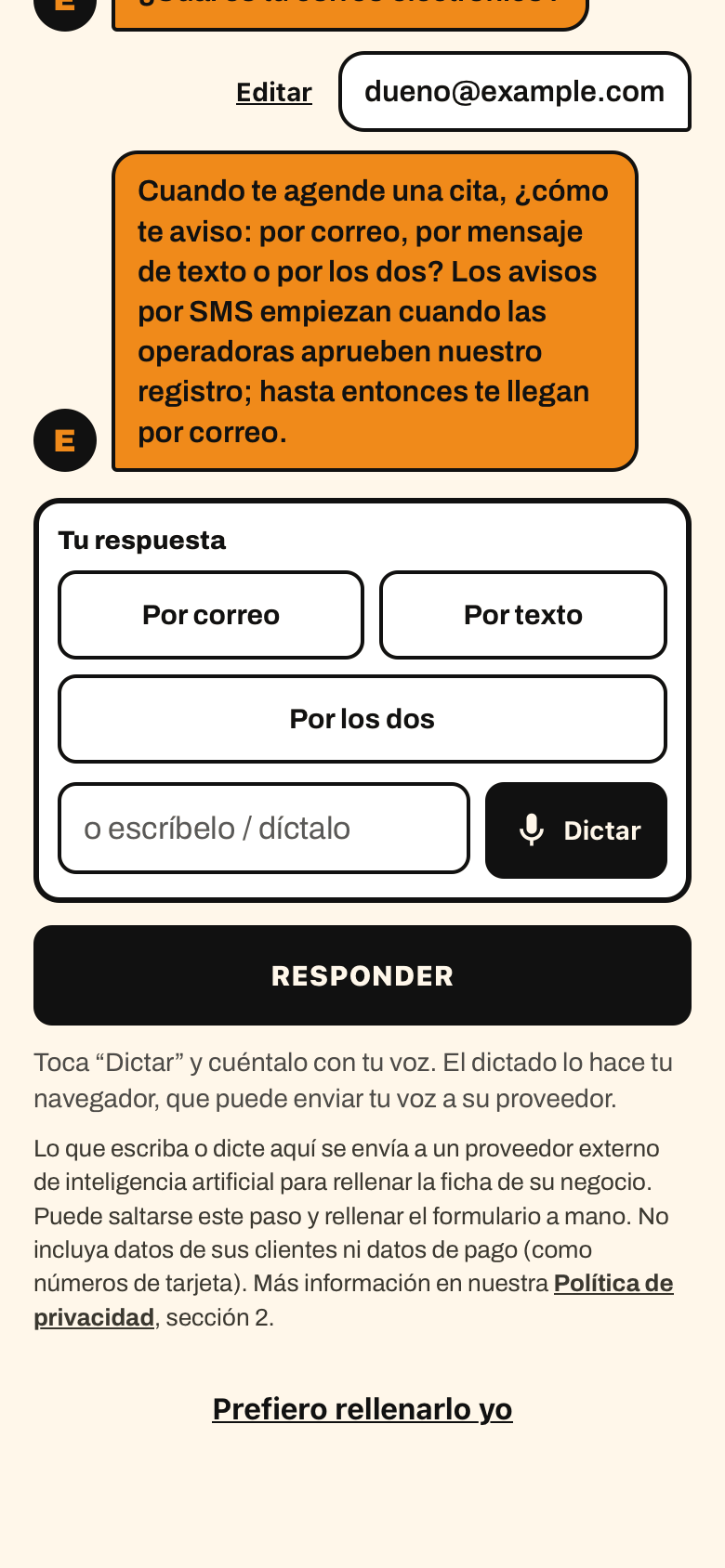
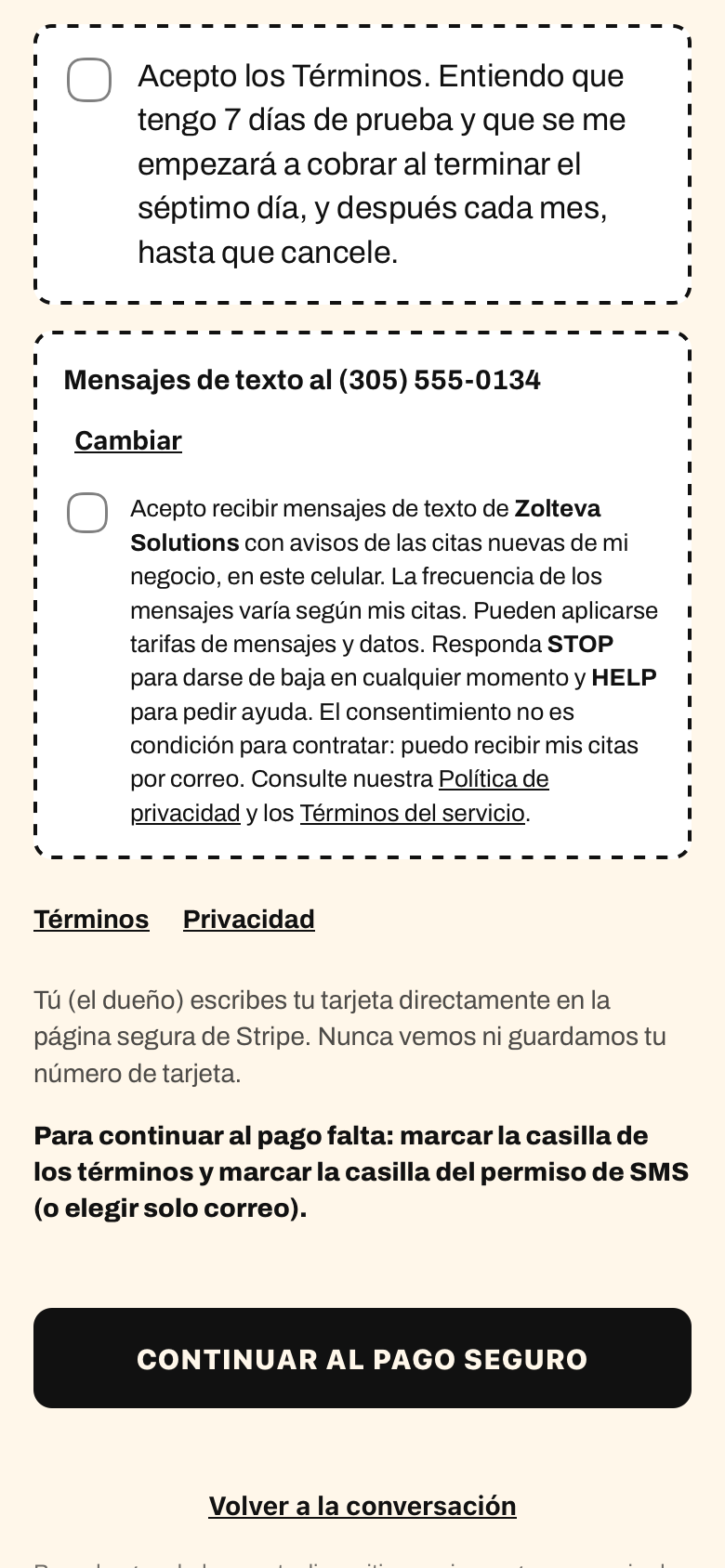
How to see it on the live page: https://alta.zolteva.com/ opens with a guided chat (the assistant asks one question at a time). To see the form in screenshots 1 to 3, tap “I’d rather fill it in myself” under the chat, choose a trade and press “Continue”: that is the step “Your business”. Owners who stay in the chat reach the same consent checkbox on the review screen before payment (screenshots 4 and 5).
Program name: Zolteva appointment alerts. Status: active. The phone carriers approved our messaging registration on October 13, 2026; text alerts are sent to business owners who chose them and gave their permission on the sign-up form.
Example data in these screenshots is fictitious.
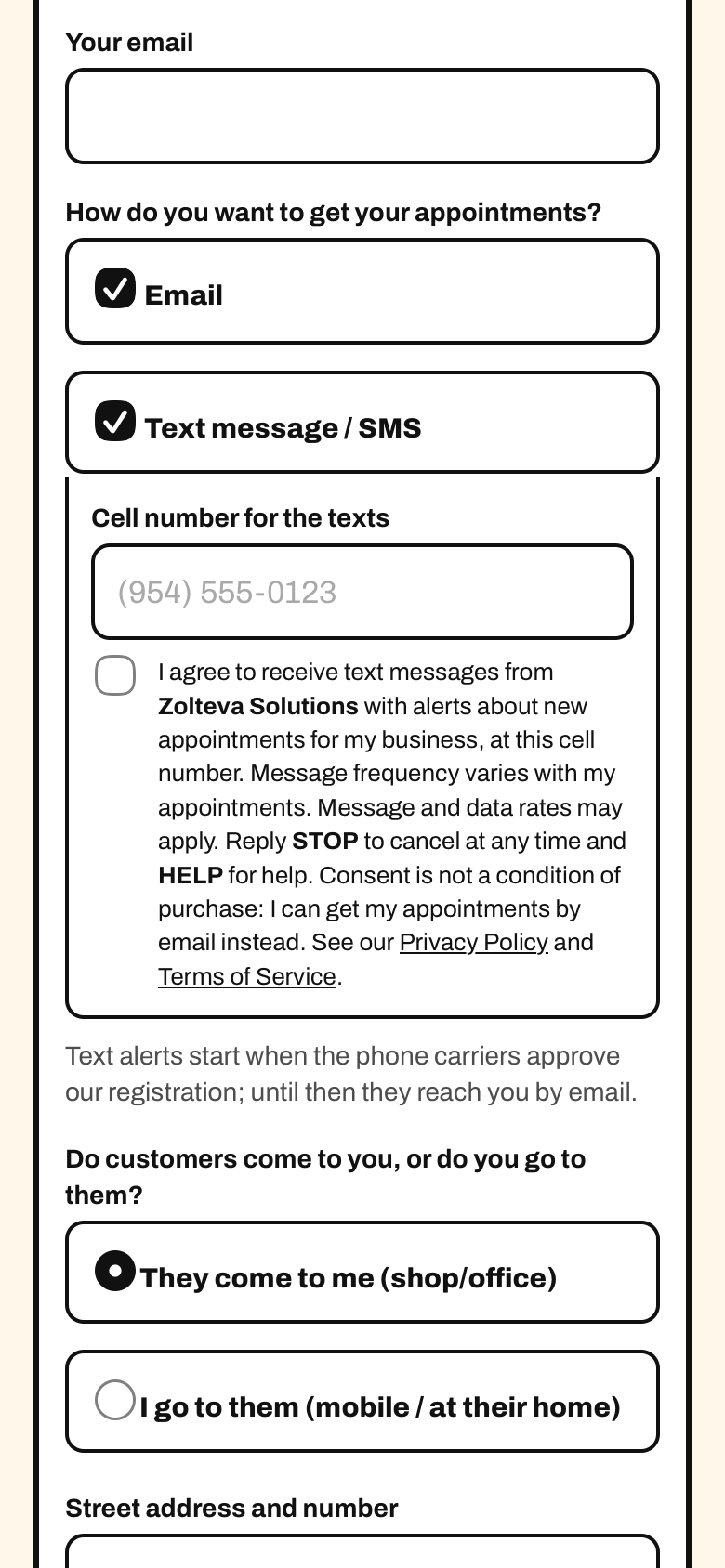
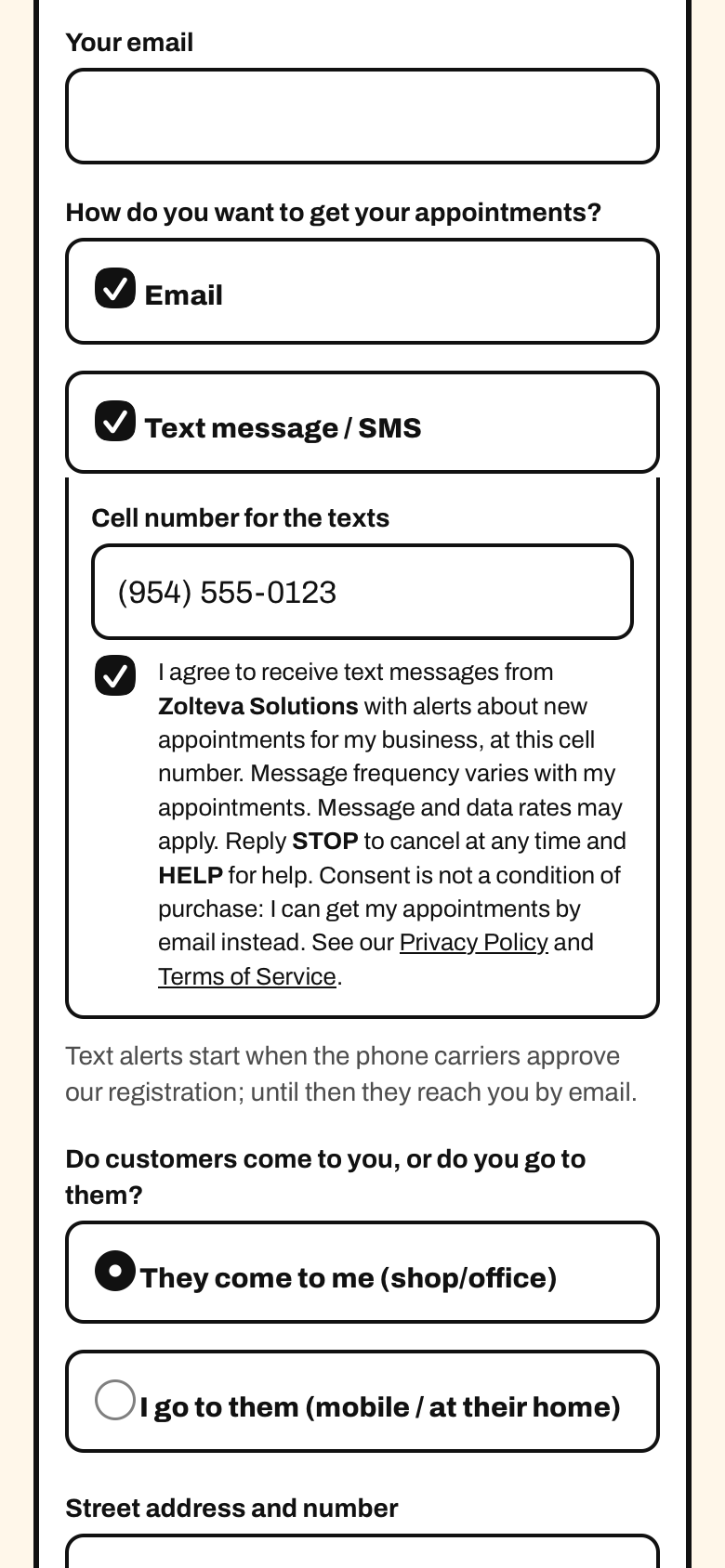
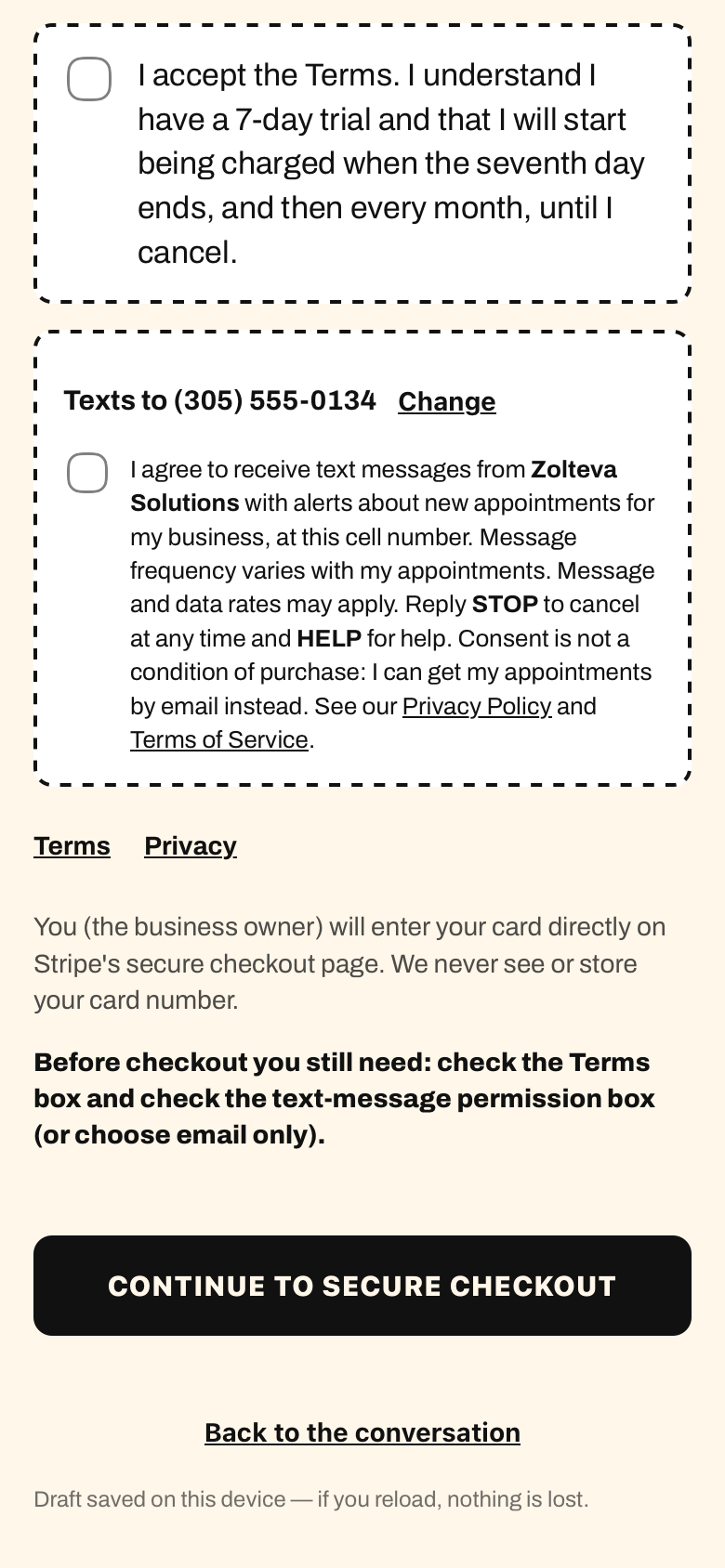
I agree to receive text messages from Zolteva Solutions with alerts about new appointments for my business, at this cell number. Message frequency varies with my appointments. Message and data rates may apply. Reply STOP to cancel at any time and HELP for help. Consent is not a condition of purchase: I can get my appointments by email instead. See our Privacy Policy and Terms of Service.
Spanish version: «Acepto recibir mensajes de texto de Zolteva Solutions con avisos de las citas nuevas de mi negocio, en este celular. La frecuencia de los mensajes varía según mis citas. Pueden aplicarse tarifas de mensajes y datos. Responda STOP para darse de baja en cualquier momento y HELP para pedir ayuda. El consentimiento no es condición para contratar: puedo recibir mis citas por correo. Consulte nuestra Política de privacidad y los Términos del servicio.»
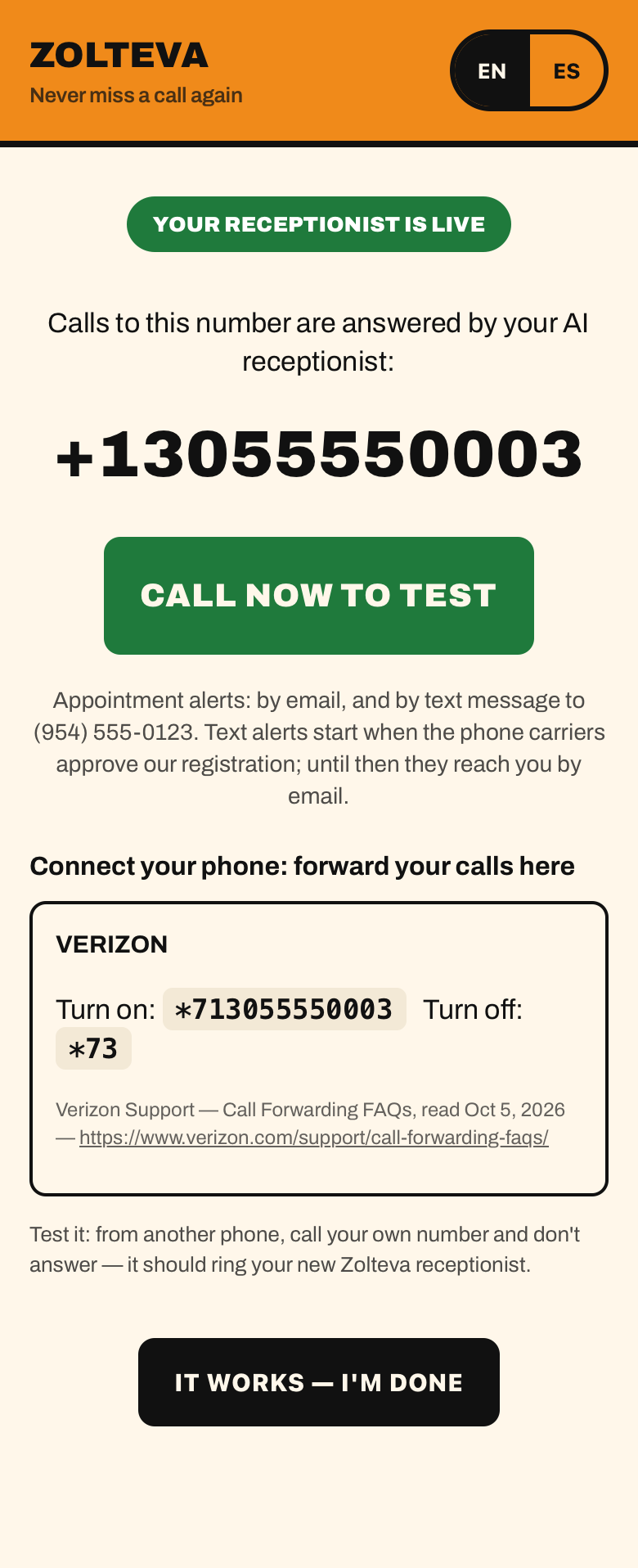
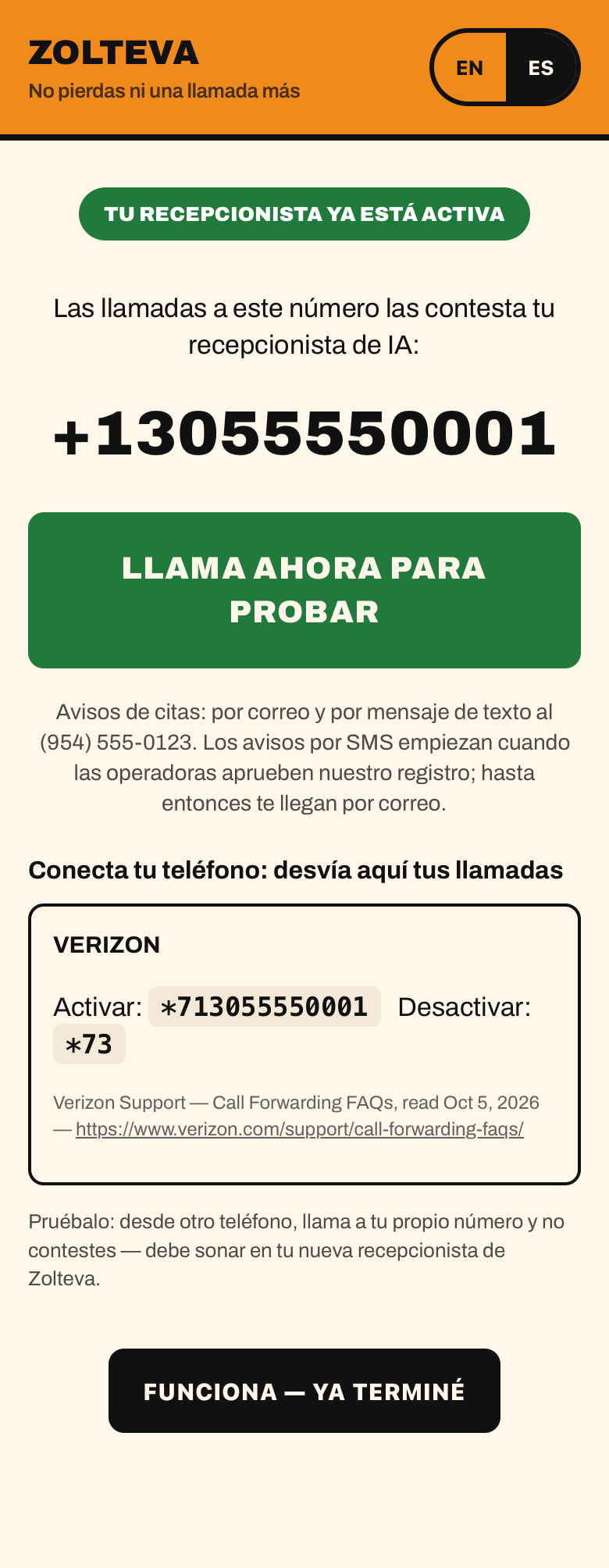
No mobile information will be shared with third parties or affiliates for marketing or promotional purposes. (Spanish, as in our Privacy Policy: «La información del móvil no se compartirá con terceros ni afiliados con fines de marketing o promocionales.») The messages are sent by Zolteva Solutions directly to its own business customer; there is no third-party marketing and no lead generation.
We do not sell or share your SMS opt-in data or personal information with third parties for marketing purposes. Carriers are not liable for any delayed or undelivered messages.
Privacy Policy (section 6, SMS / Text messaging) · Terms of Service (section 11, Text messages)
Program name: Zolteva appointment confirmations. Status: active since October 22, 2026.
Who receives them: a person who calls a business that uses Elena (Zolteva's AI phone receptionist), books an appointment and says yes when Elena asks the question below. Who sends them: Zolteva Solutions, with the business's name inside the message. The business cannot write or send its own texts through this program.
Where and how consent is collected: on the phone call, after the appointment is booked, Elena asks this short question. The wording is fixed in Elena's instructions and has a version number; a call that does not get a clear yes gets no text. Message and data rates, STOP and HELP are in the first text, and the full terms are on this page.
Elena (English): "Want me to text the confirmation to this number?"
Caller: "Yes."
Elena: "Done, you'll get it in a moment."
Elena (Spanish): «¿Te mando la confirmación por mensaje a este número?» (English: "Want me to text the confirmation to this number?")
If the caller says no, or does not answer clearly, the appointment is booked all the same and no text is sent: consent is not a condition of booking. The question only offers the confirmation of that appointment; it never covers marketing.
Proof we keep for each consent: the caller's number, the UTC date and time, the version of the script and the line of the call transcript where the caller said yes. We do not keep call audio.
What the caller receives:
Message frequency: up to 2 messages per appointment. Message and data rates may apply. Reply STOP to cancel, HELP for help, or write to operations@zolteva.com. The cancel link always points to zolteva.com (no link shorteners). Carriers are not liable for any delayed or undelivered messages. We do not sell or share SMS opt-in data or personal information with third parties for marketing purposes.
Privacy Policy (sections 3 and 6) · Terms of Service (section 11, "Appointment confirmations for callers")
Program name: Zolteva urgent job alerts. Status: active since November 1, 2026.
Who receives them: the owner of a business that uses Elena, at the number given for alerts, and each staff member who has personally agreed to receive them. Who sends them: Zolteva Solutions, with fixed templates written by Zolteva. No marketing, no promotions, no lead generation.
Where and how consent is collected: the owner agrees for their own number when signing up. Each staff member agrees for themselves by opening a personal link from the business and checking a separate consent checkbox, unchecked by default, next to their own number on that web page. The owner cannot agree on a staff member's behalf. A staff member who has not agreed receives urgent job alerts by email only.
What the staff member sees on the form: a web page of their own, with their number and a separate checkbox for urgent job alerts. The box starts unchecked and only the staff member's own check counts as consent. The exact checkbox text is:
"Yes, send me urgent job alerts for [Business name] from Zolteva by text message and by call with an AI-generated voice, at any hour, including at night, at the number above. Frequency varies. Msg & data rates may apply. Reply STOP to opt out, HELP for help. Not a condition of employment. This is not an emergency service: anyone in danger should call 911. Calls I take part in through Elena may be recorded and transcribed. Terms: zolteva.com/terms (section 11). Privacy: zolteva.com/privacy."
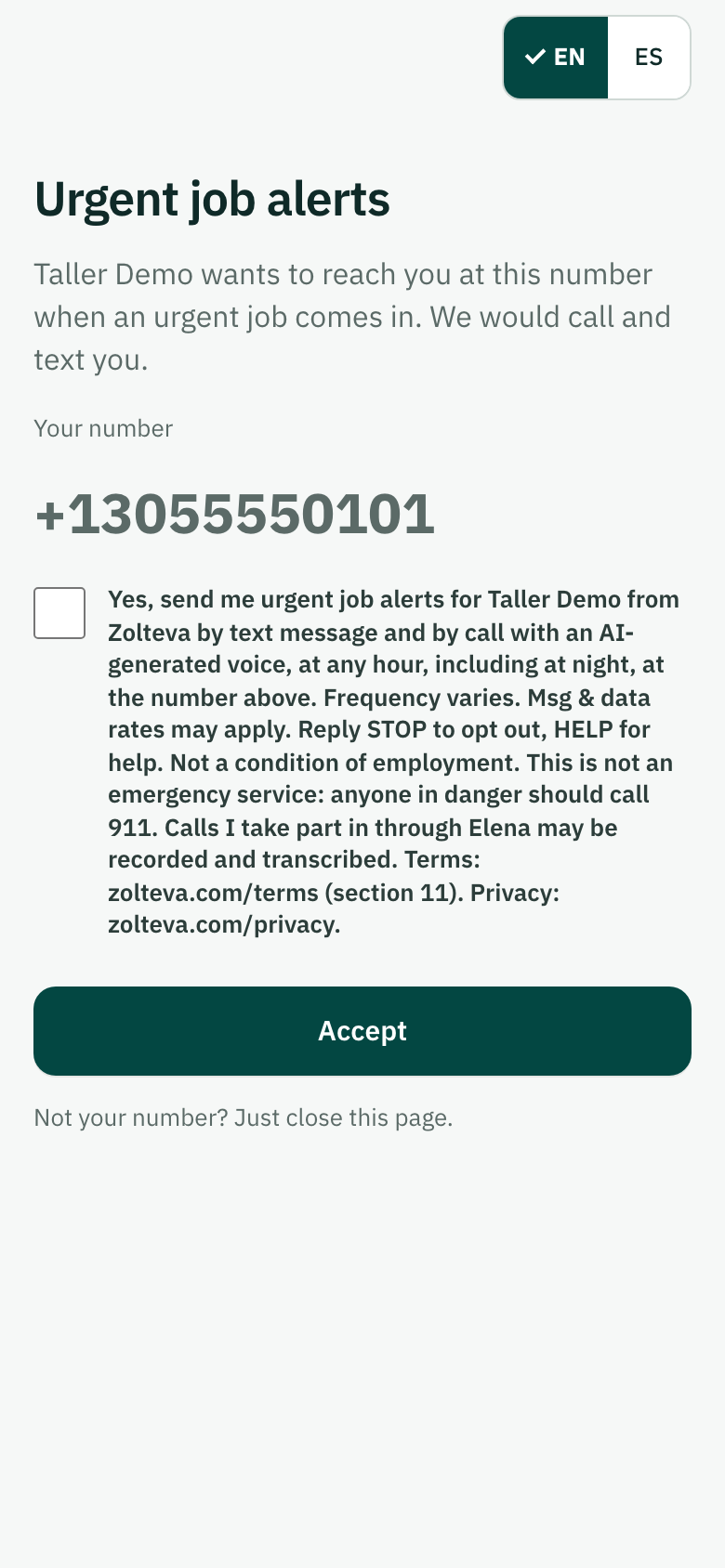
We store the date, time, method, text version, phone number and IP address of each opt-in.
What they receive: when a caller tells Elena they need urgent service from the business, an alert at once, when the call ends, by text message and, for those who agreed to it, by phone call with an AI-generated voice, at any hour, until one person accepts the job. The text goes only to the owner; staff receive the email and the call. Each alert names the caller (first name), the type of problem, the general area and the call-back number, and says when the job was taken. It also sends the opt-in confirmation and replies to STOP and HELP. If no one accepts, a last alert goes to the owner.
Message frequency: varies with urgent requests. Message and data rates may apply. To stop: reply STOP to any alert, say so on an alert call, or turn alerts off in the panel; we stop right away. For help: reply HELP, or write to operations@zolteva.com. This program is not an emergency service: anyone in danger should call 911. Carriers are not liable for any delayed or undelivered messages. We do not sell or share SMS opt-in data or personal information with third parties for marketing purposes.
Privacy Policy (section 6, "Urgent job alerts") · Terms of Service (section 11, "Urgent job alerts")